

ADRIFT

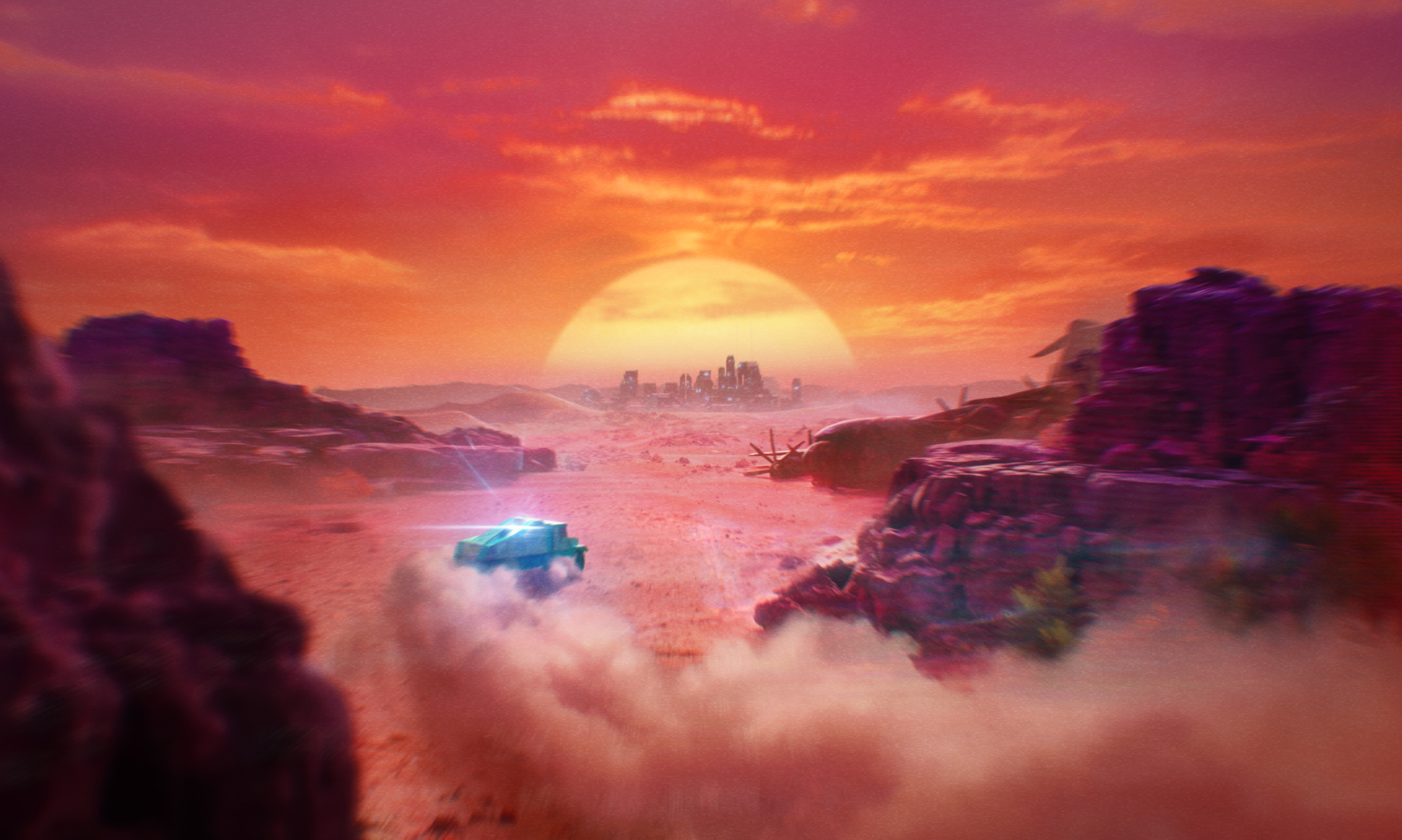
ADRIFT is a driving adventure game developed in Unreal Engine 5 and released on Steam on the 9th of December 2025. This Solo-Dev project was released under ‘S . K . 9 . 8’ and was co-published by ‘Secret Sauce’.

Coming from a System/Tech Design background, the project has challenged me to go well beyond my comfort zone and allowed me to learn and explore all aspects of game dev and train my intuition on how they all tie together!

A Solo-Dev Challenge

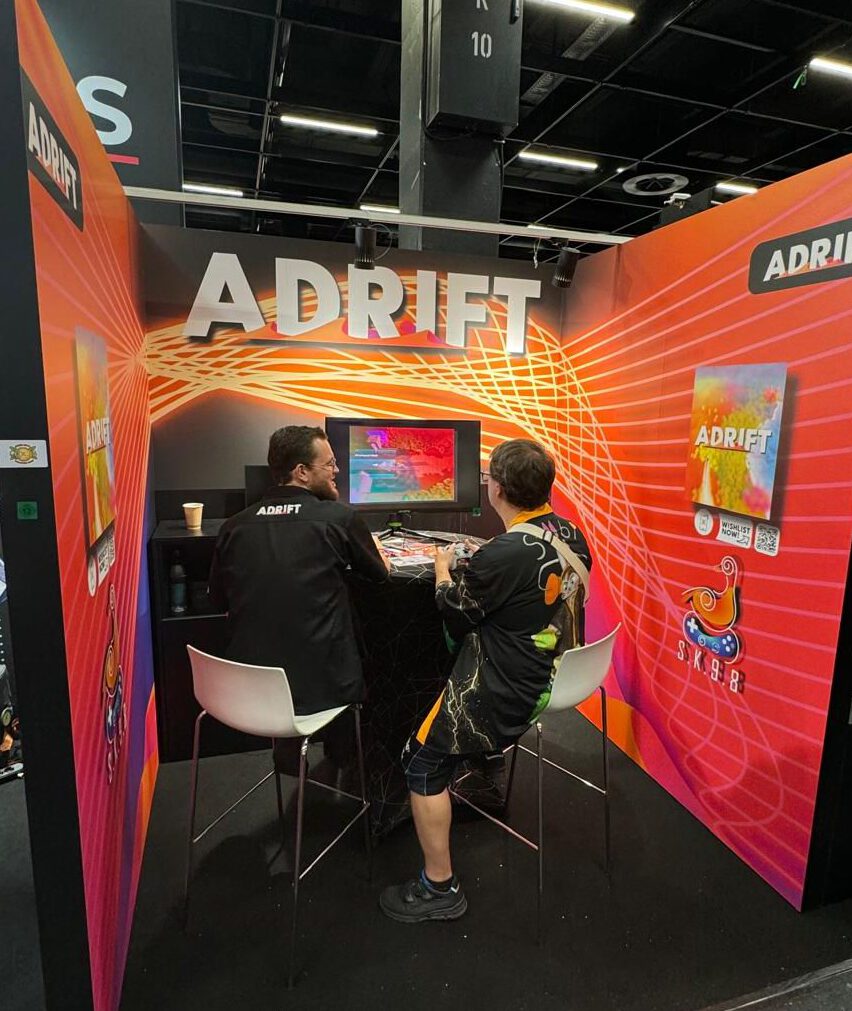
The project’s core challenge was its solo-dev nature. Beyond just the development, I also handled production, biz-dev as well as attending Gamescom with a booth in the indie-area.

Expanding Horizons

During its three year development cycle I stepped well outside my comfort zone. Beyond Design, you will also find anything from Environment art, to VFX, to audio on this page!

CORE DESIGN

Core Gameplay Loop

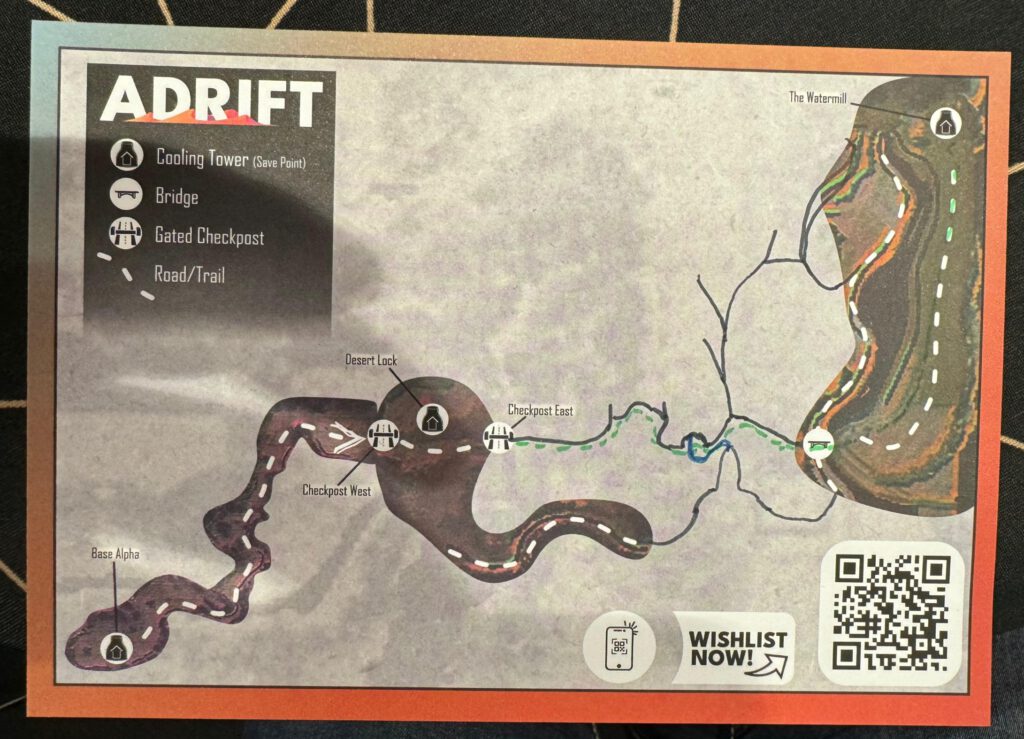
In ADRIFT, players are challenged with the delivery of a overheating Energy Core. Without an in-game map, players will need to carefully explore and plan ahead to securely transport the fragile cargo. 

This brings us to our core Gameplay Loop: Explore > Prepare > Transport. At the initial state of the loop, the player has the Core safely stored at a Cooling Station (which also acts as a save point). From here, the player explores, gauge their surroundings. This could be anything from a next station along your journey, a (broken) bridge or supplies to repair one. 

Next, once they found and decided on their next goal, comes the preparing step. Here, players plot out a mental map of a route to take as well as prepare by repairing things such as the forementioned bridges. 

And finally, it’s time to go. The player now picks up the Core and attempts to transport it to their next Station. They will rely on recalling and navigating their prepared route under the looming pressure of the core heating up towards the point of implosion!

Target Audience

ADRIFT is made for people of love the fantasy of exploring as well as watching the majestic scenes of a Dakar Rally on TV who are looking for a kind of detox from an ever more overstimulating (digital) world. 
With this in mind, the game is primarily designed as a getaway for players in a slice of solitude. While this primarily done in a singleplayer fashion, it was designed with keeping other people in a room in mind.
 
A great example for this is the game doing really well with kids playing with their parents during tests and events. The game is simple enough for non-gaming parents to understand. So while their child just enjoys driving around, you quickly see the parents become a kind of navigator. As the whole game is synonymus with finding your way in life, it’s amazing to see the dynamic of the guiding their child appear without being a coded feature to realise the design intend of the co-driver as seen in Dakar!

Core Challenge: Navigation

From it’s original conception and Dakar inspiration, navigation has always been a piller for forming the game’s core design. You can see this carried through in design desicions such as the intuitive fun controls and lack of any timers/leaderboards. Rarely will your driving abilities be the reason you failed a trip, it’s more likely the mistake is found in the players’ planning and/or navigating skills. The game also doesn’t have features to suggest extracting the fastest possible time is ever an objective. Instead of focussing on the racing,  ADRIFT is very much a Driving Adventure game. 

Player Experience: Tension Curve

During early prototyping, vehicle management was a much larger part of the gameplay. This included featurers such as multiple cargo slots, damage, fuel consumtion, different tyre profiles and the risk of flat tires. Ultimatly this was taken out or refurbished as it didn’t quite work in establishing the desired tension curve. Players were constantly on edge, managing fuel, annoyed at flat tires or slowed by damage, even when they just wanted to explore. At this point, it was transformed into the Energy Core overheating when out in the open. It still provided the intended stress to make sure you deliveries are well prepped. But unlike fuel, this stress was only present while actively transporting the core. With the step, the tension curve took much more of it intended shape. With lower stakes exploring feeling relaxed, and the pressure being there when you want it and providing you with a problem to solve whenever you decide to actually take it on!

Player Experience: Player Camera

One important aspect of grounding the player in feeling lost in the world, is the camera. While versions of the game were played in third person, it was ultimately settled on a top-down perspective. 

The choice was made to enhance the feeling of being lost in a large scale world. Relying on you immediate surroundings and your ability to remember your environment. Where a third person perspective allows you to rely on distant landmarks preventing you from ever truly losing your bearings. A similar dynamic can be extented to exploring as you’re not driving straight to a distant point of interest, and instead embark into the unknown. In other words, it’s enforcing the dynamic of getting lost to find your way, rather than anticipating a plan ahead!

VEHICLE PHYSICS

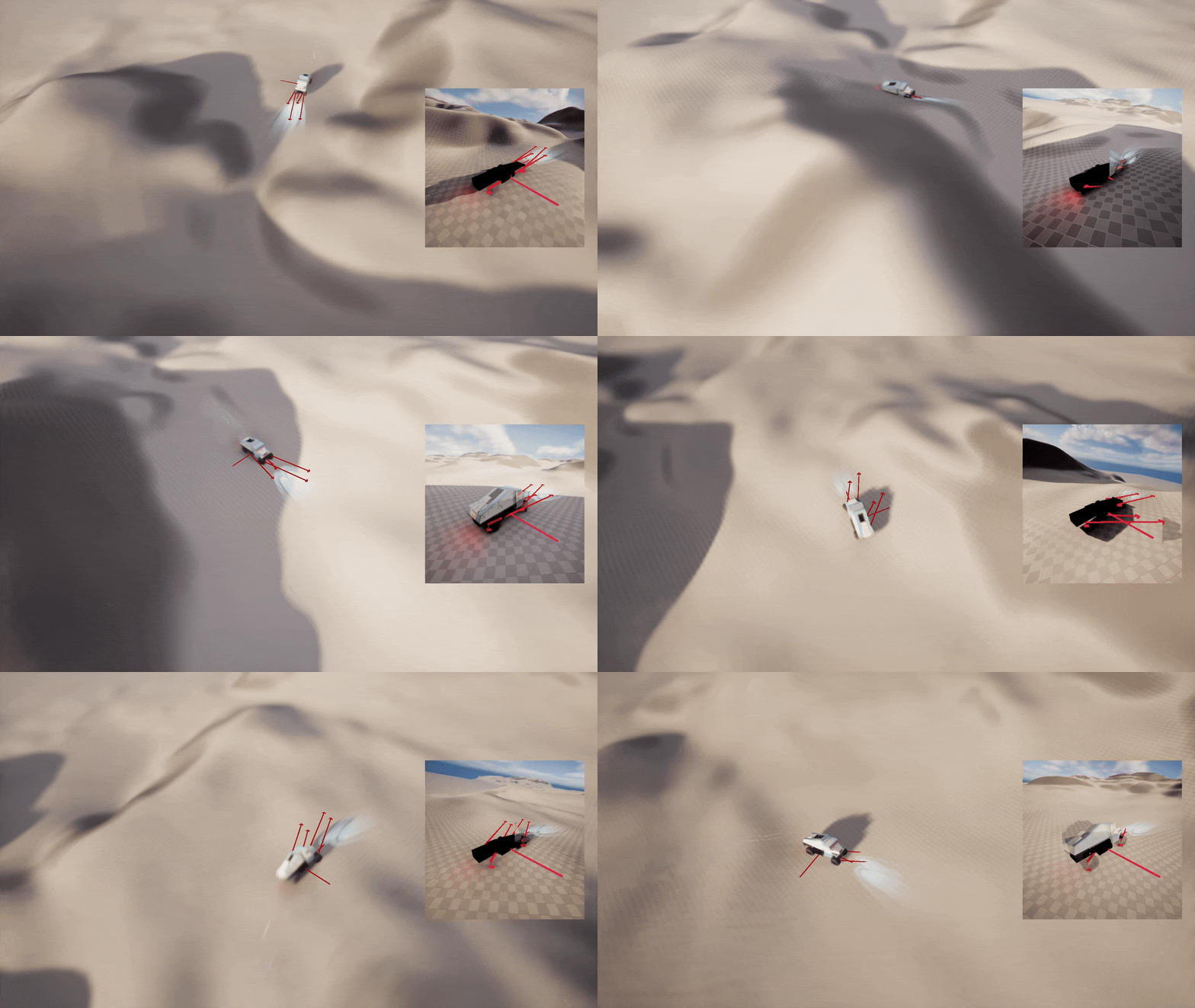
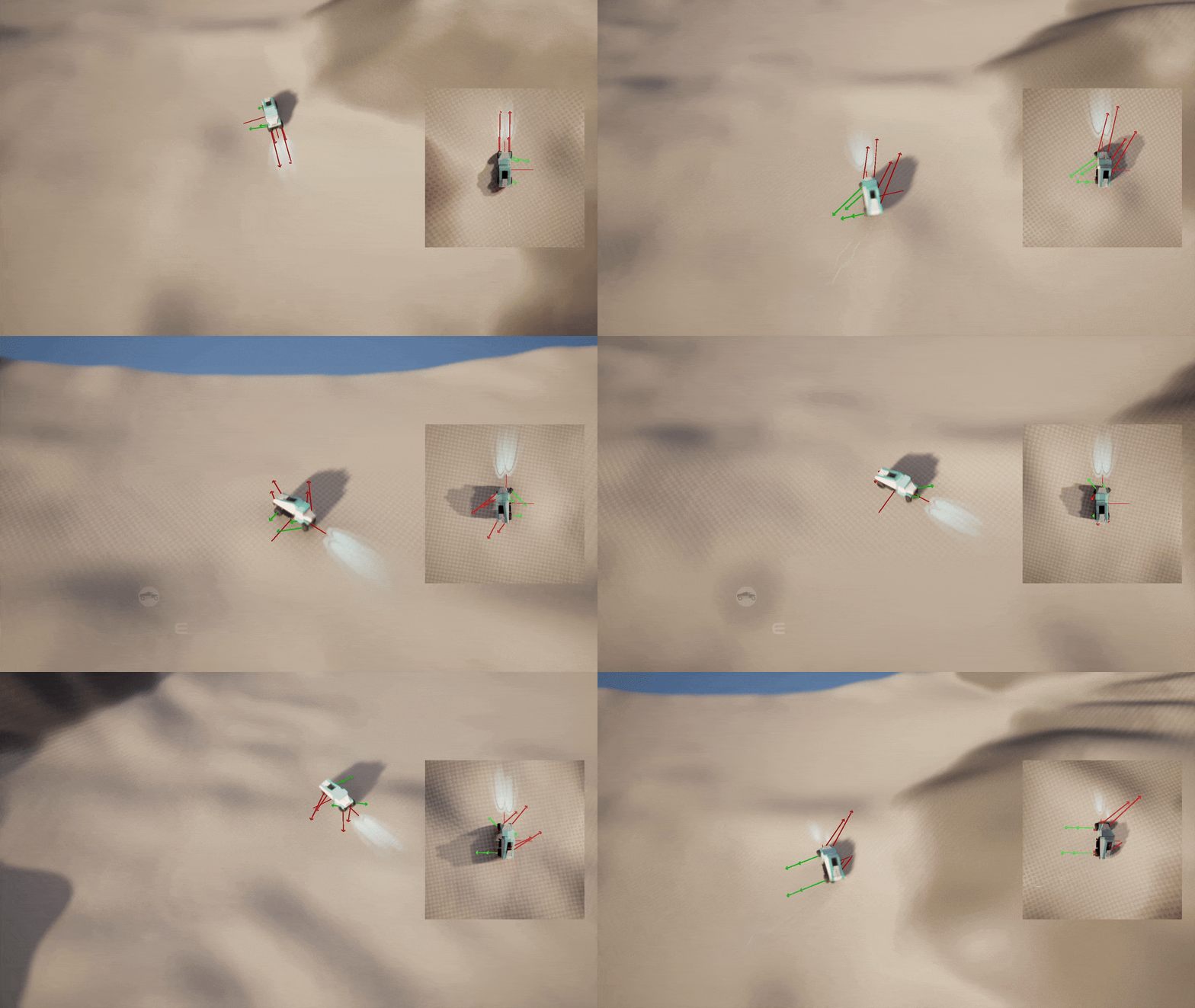
Red Arrow: Local Velocity

Core Setup

ADRIFT’s vehicle is controlled using a custom build physics setup. This decision was made after prototypes with existing setups (such as UE’s Chaos Vehicle) were easy in their initial setup but difficult and unpredictable in iteration to achieve the desired game feel. 

At its core, the truck is a single physics shape being manipulated by a few simple Blueprint functions. The output of these functions is later also used to drive procedural animations to sell the illusion of driving. 

Many other systems also only exist in the player’s fantasy. For example, the engine will sound as if it’s struggling and changing to a lower gear when going uphill. This only exists as a form of AV feedback while the actual physics simulation is kept simple and fakes such mechanical behaviours.

Suspension Sim

For each wheel, all the forces are calculated though a function on the physics thread. It starts by getting data such as the physics object’s velocity at wheel location and testing a line trace to check if the wheel is in contact with the ground and how far extended it is.

The vehicle’s suspension is the first step in the simulation. For this, it uses the normalized spring length on a slight power curve and multiplies it by the base “Suspension Force”  variable. Before being applied, it’s first combined with a small opposing force based on the last frame to also simulate the damping done by shock absorbers for a more stable and predictably controlling vehicle.

Open in fullscreen, if connections don’t show, select all and move around.
Blue Arrow: Player Input Force Local
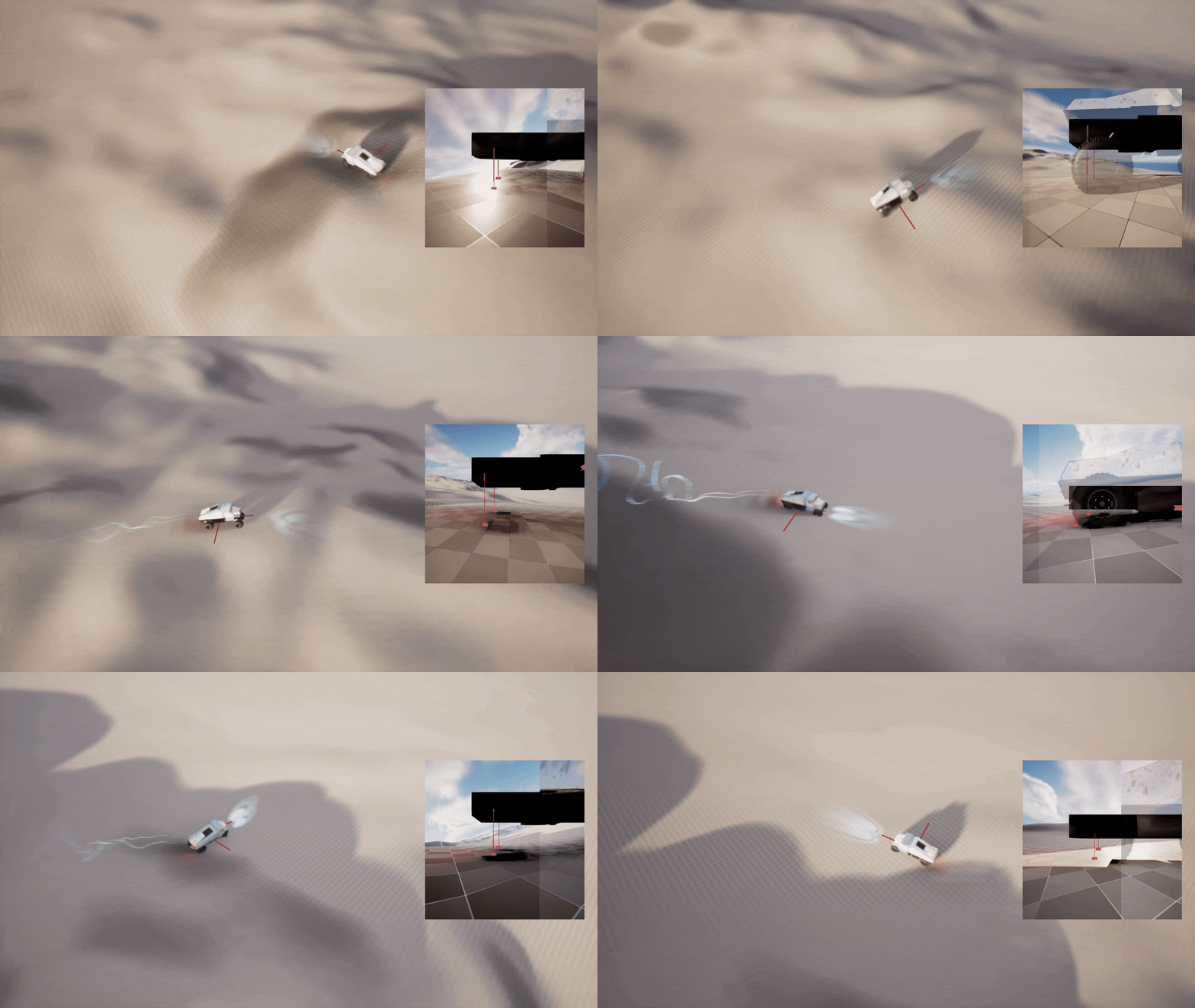
Red Arrow: Local Velocity, Green Arrow: Lateral Friction

Player Input

As we’re driving an all-wheel drive vehicle, each wheel will also add an additional force based on the player’s throttle and steering input. The base acceleration force is being multiplied by a value from a float curve based on the current velocity. This allows us to achieve a natural feeling track that’s controllably at low speeds and will naturally top out at a max speed without needing to simulate real world physics and also keep it intuitive for the player as a vibey top-down driving game.

And finally, to actually make it feel like a wheeled vehicle, we’re simulating lateral friction for each wheel. We’re once again using a float curve to direction of the velocity relative to the direction of the wheel. It will then redirect the forces to simulate a drift after also considering player input to adjust the simulation to the player’s intention. The same calculations also handle the steering as the turning of the wheels will automatically mean forces also get redirected.

Open in fullscreen, if connections don’t show, select all and move around.

VEHICLE FEEL

Player Camera

Lorem ipsum dolor sit amet, consectetur adipiscing elit. Ut elit tellus, luctus nec ullamcorper mattis, pulvinar dapibus leo.

Anim

Lorem ipsum dolor sit amet, consectetur adipiscing elit. Ut elit tellus, luctus nec ullamcorper mattis, pulvinar dapibus leo.

AV vfx

Lorem ipsum dolor sit amet, consectetur adipiscing elit. Ut elit tellus, luctus nec ullamcorper mattis, pulvinar dapibus leo.

ENVIRONMENT

Node map & Macro Layout

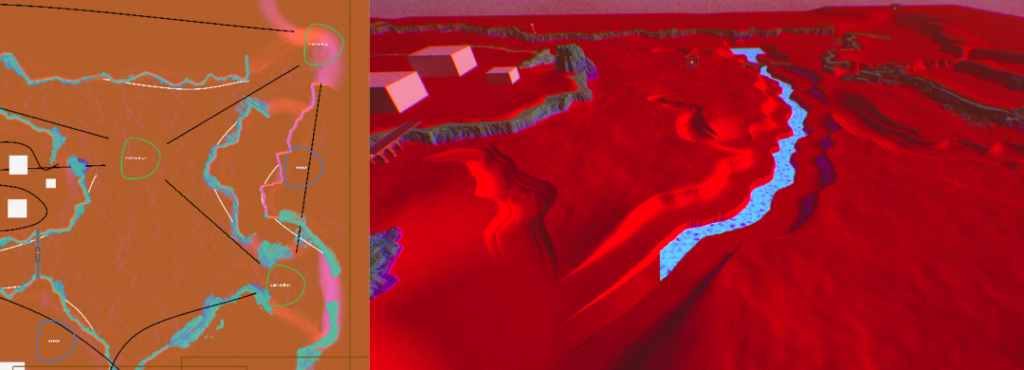
With navigation being a main factor of the game, the design of the environments starts with a node-map to lay out navigational paths. This is visualised with an in-editor overlay (see left). Based on this, the macro environment gets drawn out. During this step I:
– Define navigational features and challenges.
– Build procedural landscape stamps to shape features.
– All obstacles, Interactables, Structures and Connections in place. Scene contains of functionality and can be completed. 

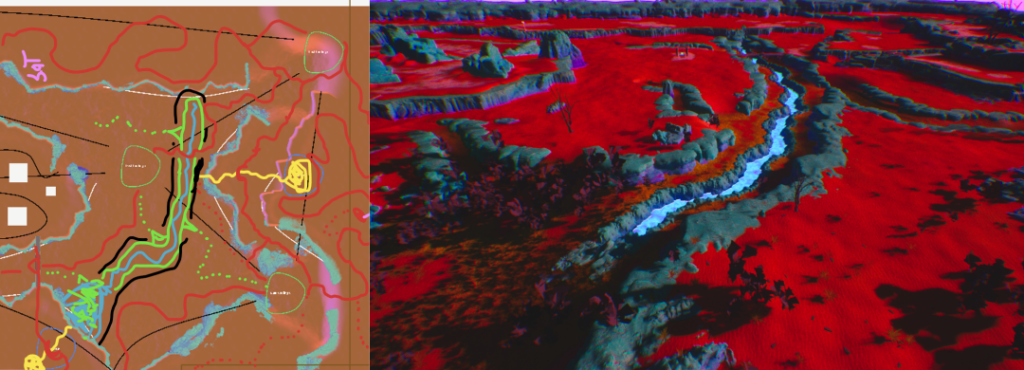
Sketch-over Pathing & Landmarks/Navigation

The next step is all about making it playable. For ADRIFT, being a top-down game, this means adding roads, vegetation and landmarks to enable the player’s navigation. During this step I:
– Set up procedural biomes (Vegetation, Rocks, Boulders etc.)
– Translate design into a sketch-over on the previous step. Each route now gets test before it gets implemented.
– Terrain and meshes get physics ready. (Surface types, Collision issues, level bounds etc). After this step the scene in playable to new players.
– All ADRIFTs tools are non-destructive. This ensures rapid itteration from this step onwards based on playtesting!

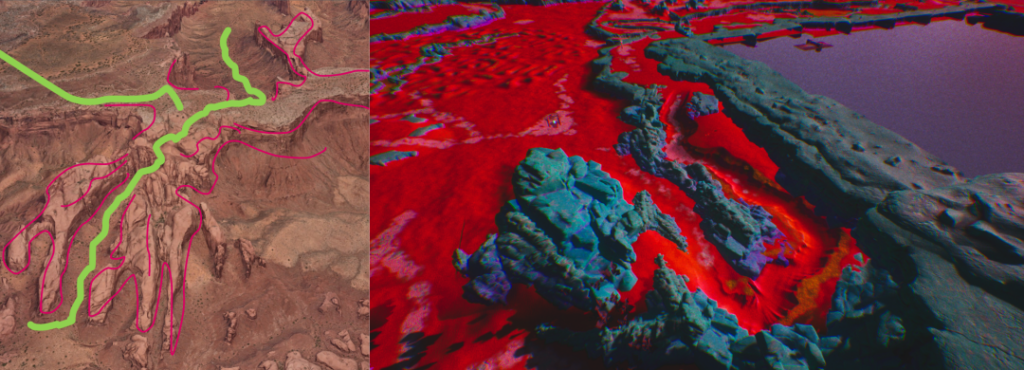
Paint Over Scenes

Many scenes in ADRIFT start their life as paint-overs from real life counter parts. Paint-overs get compiled to analyse and learn the reoccurring patterns found within them. Besides direct uses as in-game scenes, they are also a foundational step in building the procedural models for the terrain tools. 

AV-FX

Unmute the video to hear the in-game audio & SFX.

Open in fullscreen, if connections don’t show, select all and move around.

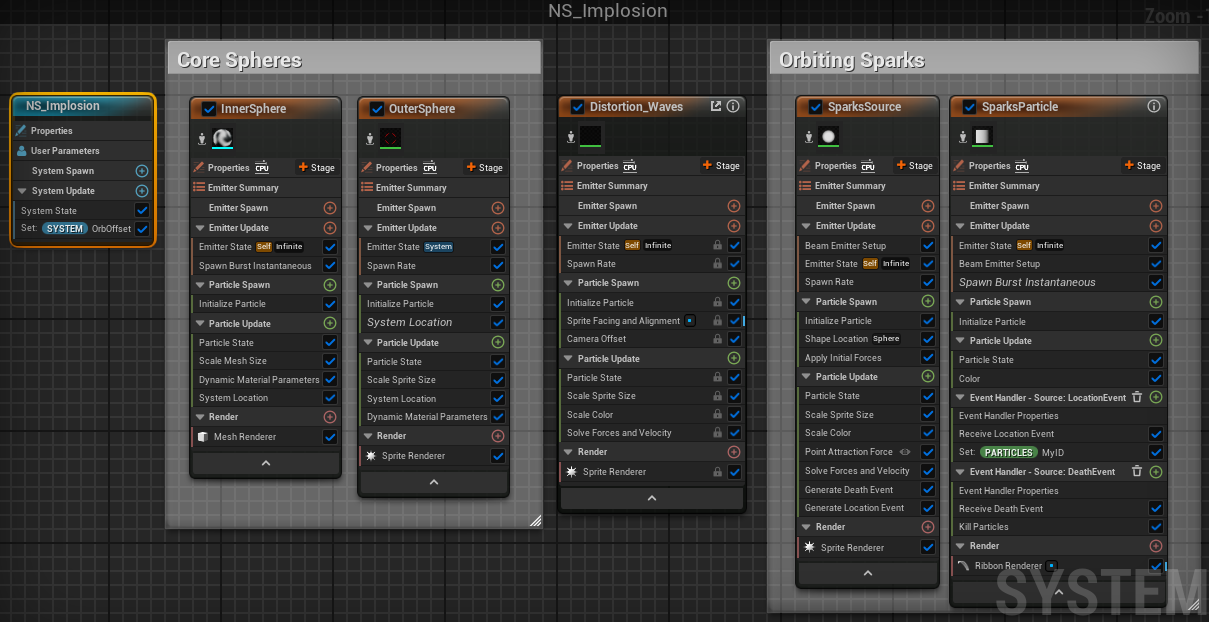
Niagara Core Explosion

ADRIFT’s core loop revolves around the transportation of an unstable Energy Core. Outside its cooling containers at the stations, the Core will overheat and, eventually, implode. On a mechanical level, it’s just a time trial but the aesthetic level of ADRIFT is that of an adventure game, not a racing one. So out with the stopwatches and leaderboard, and in with the Core.

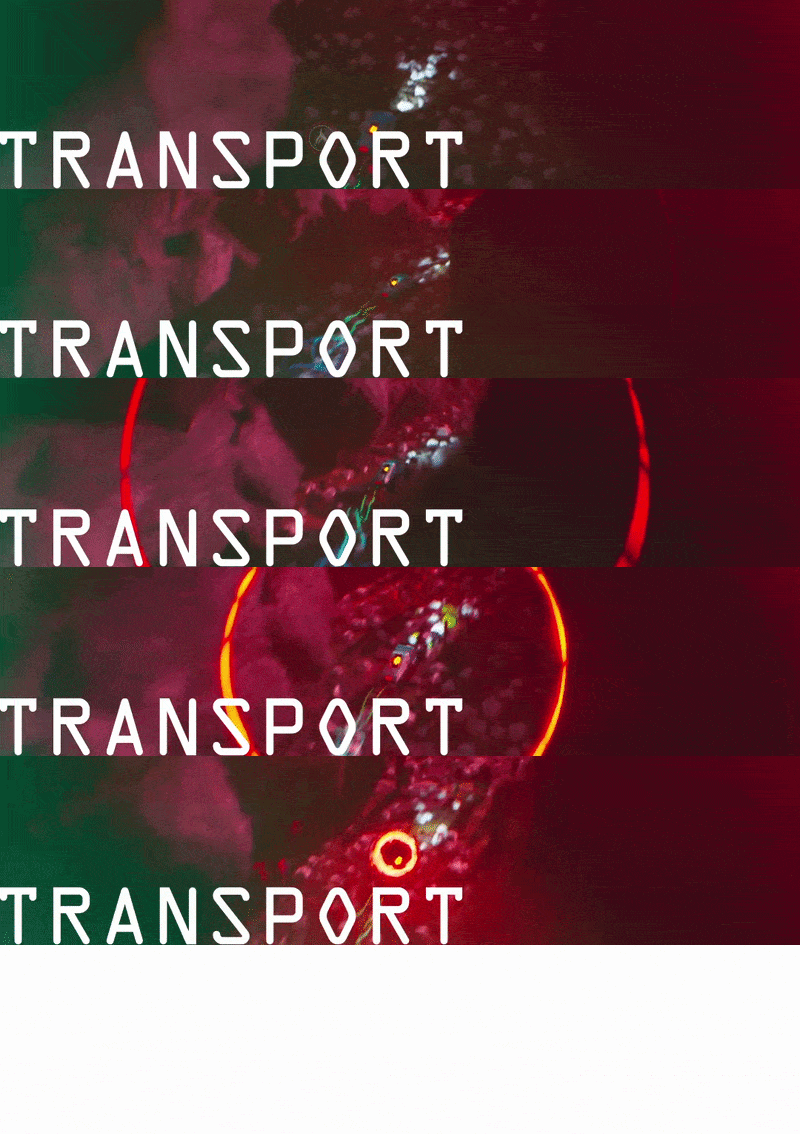
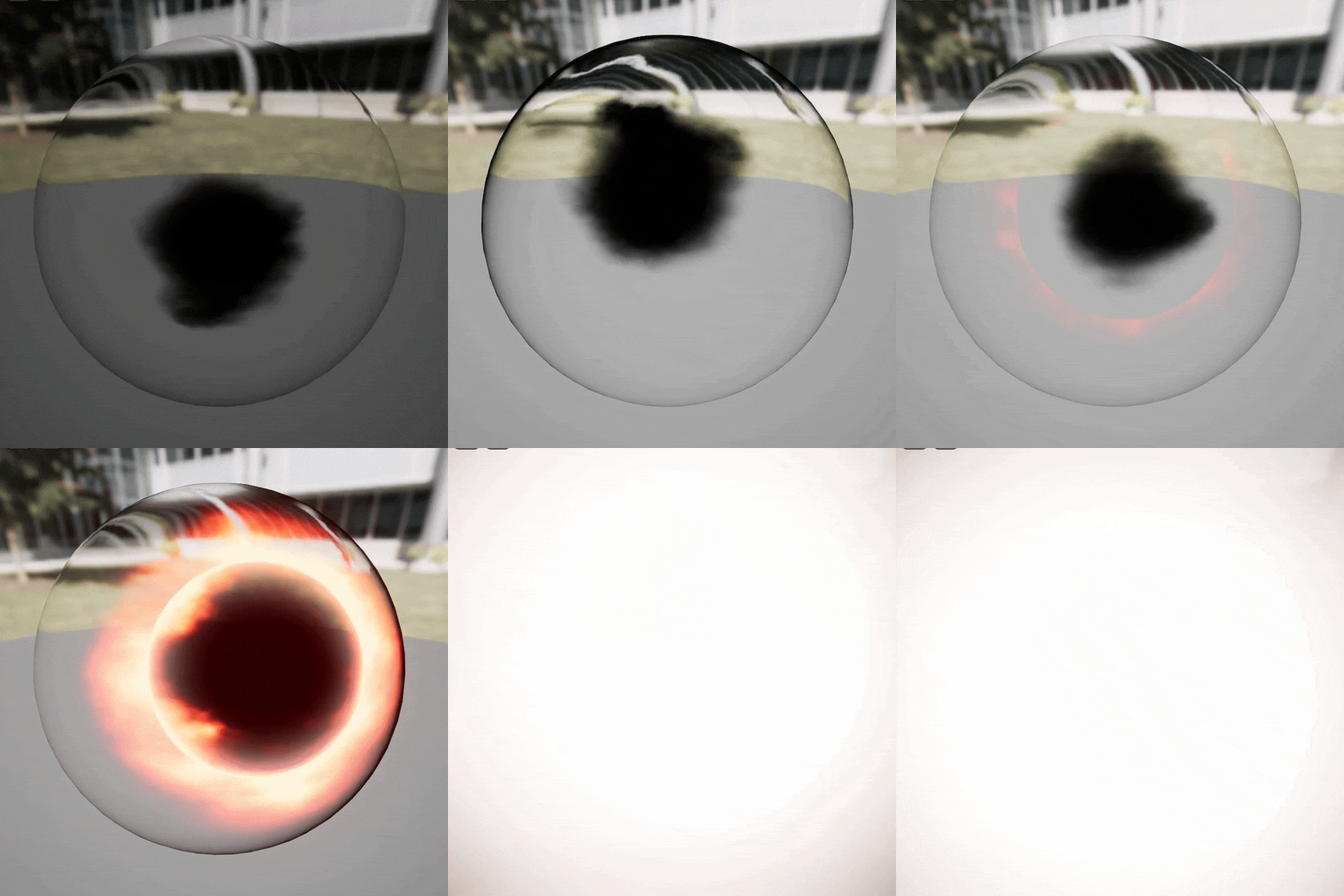
The explosion’s particle implementation served two main purposes, a “climbing tension climax” and “going out with a bang”. In other words, the enabling of close calls and fun satisfying fails. Over time we see effects intensify until a halo appears and shrinks. If you reach a station before it closes, the AVFX will reverse, past it you’ve hit the point of no return. LD testing could balance a trail to be a close call but players’ experience would remain relatively similar. Only after really highlighting it would the player feel the exhilaration of just barely making it.
The same goes for failing. Earlier versions used to just fade to black and a game over screen which only results in frustration. With the explosion, it was now expressed to be “cool” to fail. Enjoyable in its own way.

DYNAMIC MATERIAL

The Material is animated through noise movement and the fresnel gradient’s normal. A single input parameter animates the intensity by increasing an emissive layer, flashes and jittering movement. A MPC parameter is used as a user accessibility setting to disable the flashing effects!

TIMER VISUALIZATION

A radial timer will appear as the Core starts to overheat. Its main purpose is to provide consistent readability in any scenario without becoming intrusive to the game’s clean aesthetic. This includes moments where the Core is not held by the truck, in which case the UI appears in the bottom left.

AUXILIARY PARTICLES

Additional particles are used to ground the effect of the Core’s energy in the world. Glowing beams and planes with a refraction material resemble sparks and heatwaves escaping the cargo.
    The waves are matched to pulses in the sound effect to further accentuate them.

POST-PROCESS

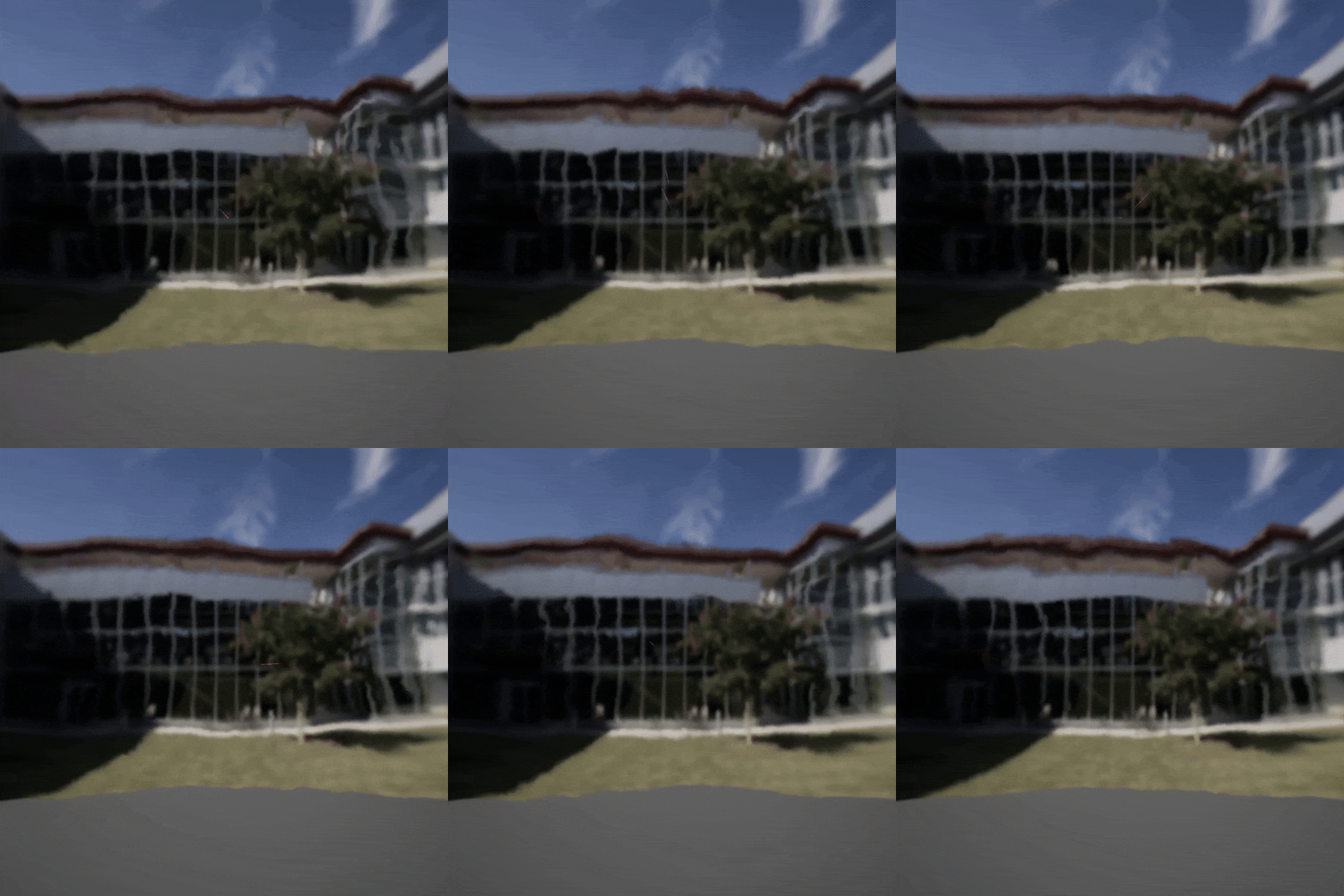
Near the end of overheating, the post-process triggers a cell-distortion effect (with the vehicle’s portion of the screen being masked out). A theme in the game are holograms and whether they can hold meaning. The effect reveals the meta on whether or not a game is a ‘hologram’  experience.

Explosion Sound Design

All music and SFX were also created by myself. They were first designed in FL Studio and later implemented with the use of FMOD. 

Highlighted on the right, you can see the Energy Core’s explosion sound, build with preset and bespoke synths as well as supporting samples. The audio is synced to the niagara vfx and can be played both forwards and in reverse in order to fit its gameplay affordances. 

UI/UX

Open in fullscreen, if connections don’t show, select all and move around.
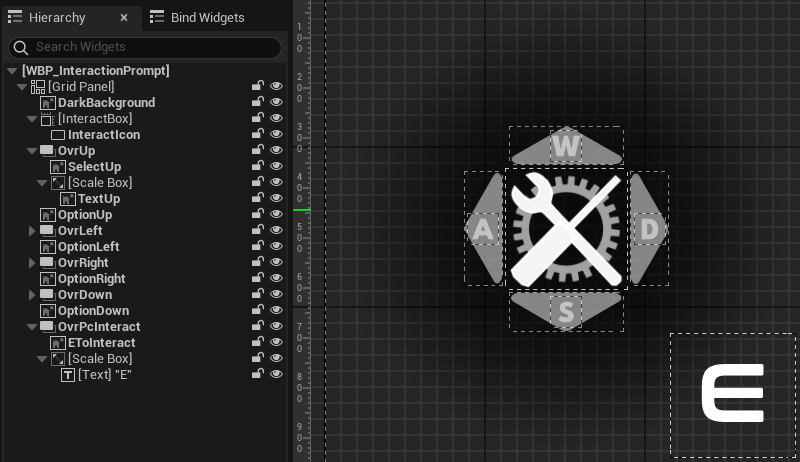
Directional Context Menu

To keep the experience as smooth as possible, ADRIFT uses directional menus to avoid pulling the player out of the moment. For controller players, this means they use the Dpad for interactions and stay in the game ‘space’. For Mkb players they will press ‘E’ to interact first and then use WASD to select an option. While this adds one more ‘press’, testing proved it more intuitive compared to other options such as using the numbers 1-4 for input. Players can leave their hand in the ‘default’ position and don’t need to recontextualize when switching between navigating menus and the world.

The directional menu is a core widget that is reused in many other widgets. It’s equipped with functions to update the options based on the instance’s context. Additionally it will also update accordingly if the player switches between Mkb and gamepad, switch icons based on context as well as display if possible interactions are unavailable (e.g. when trying to pick up cargo while already carrying other cargo).

The interactions are handled through a BPI and will update variables in a MPC.In the option’s dynamic materials these variables are used to animated to options based on the player’s input and context.

Animated Buttons

ADRIFT’s UI elements are stylized using UI materials. Using a set of parameters they are animated to react to events such as hovering.

Open in fullscreen, if connections don’t show, select all and move around.
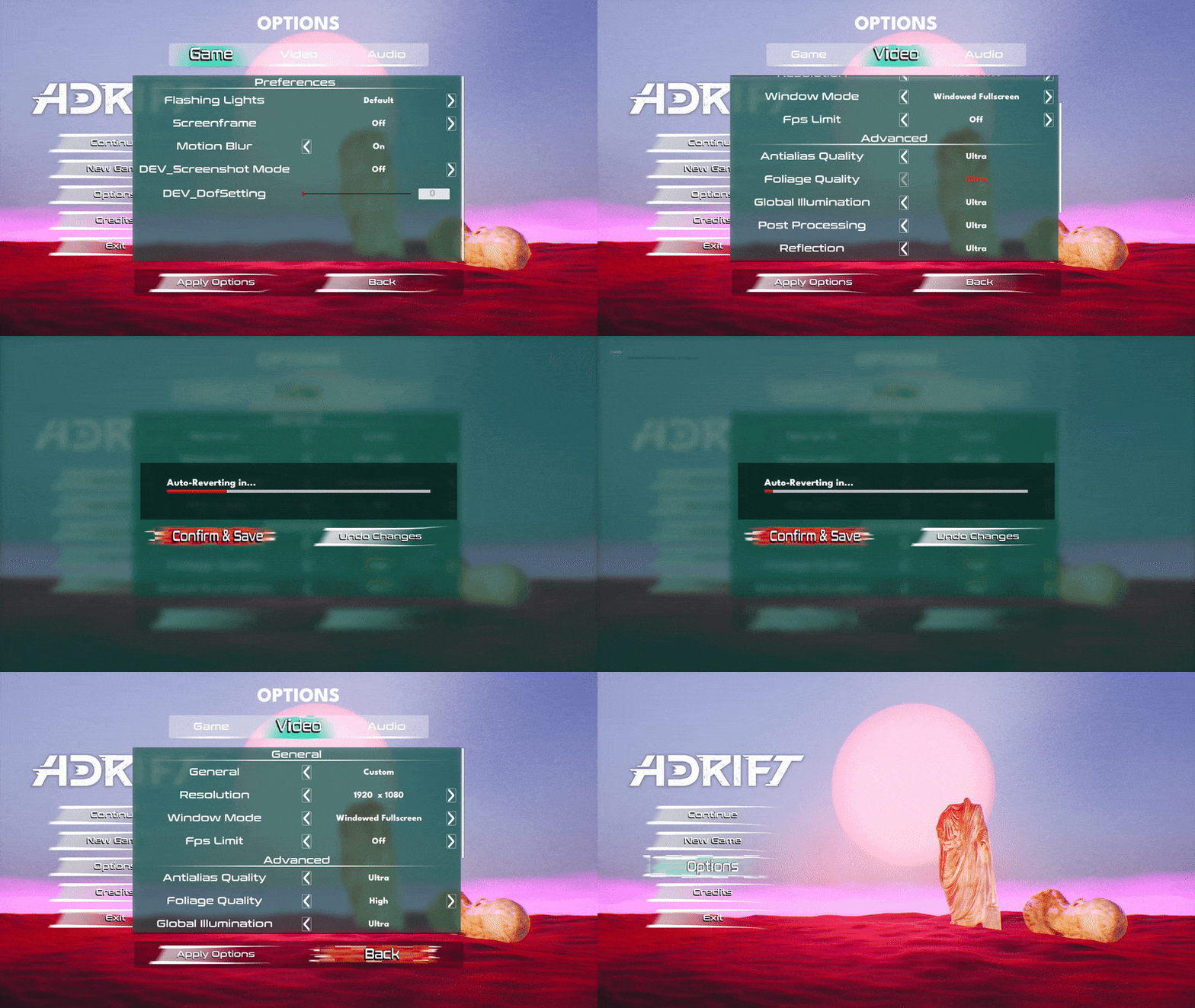
Options Menu

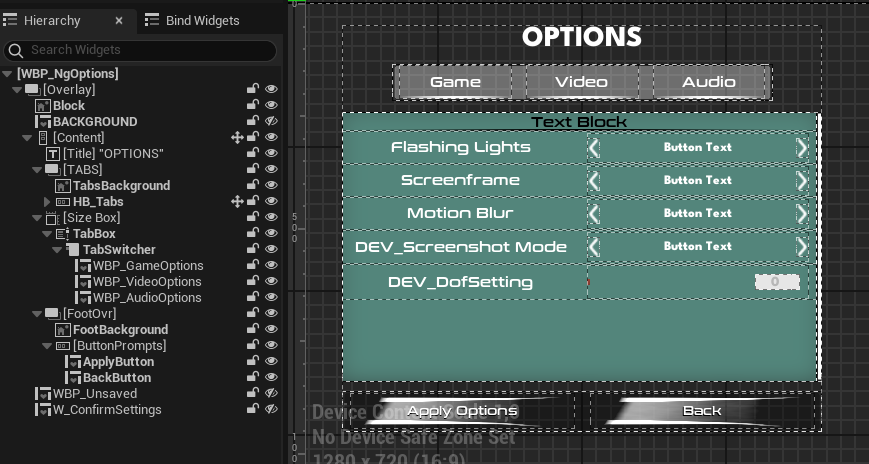
In a minimalistic game without a lot of UI, the options menu ends up being the most complex to set up. With a hierarchy of nested widgets, changing, applying, (auto-)undoing and saving changes you end up with quite a lot of data being passed around. While it’s nothing revolutionary, ADRIFT’s UX makes sure players close the menu with the desired settings applied and saved and can benefit from auto-reverting changes if newly applied options cause any issues.

Open in fullscreen, if connections don’t show, select all and move around.